My Little Pony: Pony Maker
How to Play My Little Pony: Pony Maker
Use intuitive controls to customize your pony's features and colors. Navigate through the menus to select different body parts and accessories, then apply colors using the color wheel for a personalized design experience.
Controls Guide
- Mouse or touch: Click or tap to select customization options
- Drag: Adjust sliders or color selection for precise changes
- Keyboard arrows/WASD: Navigate menus (optional)
Play My Little Pony: Pony Maker: Create Magical Ponies Online
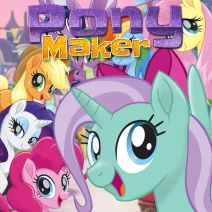
Dive into a colorful world where your imagination shapes every detail in My Little Pony: Pony Maker. Customize your pony’s body, eyes, mane, tail, and accessories with a vibrant color wheel to craft a unique character that shines with personality. Join the beloved Mane 6 on a sparkly journey as you bring your pony to life in this enchanting browser game. Perfect for players who love creativity and magical adventures without any downloads.
My Little Pony: Pony Maker Gameplay and Features
My Little Pony: Pony Maker offers a simple yet captivating gameplay experience focused on detailed customization. Players use intuitive mouse or touch controls to select and adjust features, choosing from a variety of styles and colors to build their perfect pony. The game supports instant play in any HTML5-compatible desktop, tablet, or mobile browser, ensuring easy access and smooth performance everywhere.
- Design every aspect of your pony, including body shape, eye style, mane and tail options, and magical accessories
- Use a full color wheel for precise color matching and personalization
- Enjoy browser-based gameplay with no downloads or installations required
- Compatible with desktop, mobile, and tablets via HTML5 technology
- Save and share your custom pony creations to showcase your creativity
Tips and Strategies for My Little Pony: Pony Maker
To make the most of My Little Pony: Pony Maker, focus on experimenting with different combinations to discover the most expressive looks for your pony. Utilize the color wheel to create harmonious or striking contrasts that reflect your pony’s personality. Take your time exploring each customization section to unlock unique styles and accessories that make your character stand out. Remember, creativity is key, so don’t hesitate to mix and match features for the best results.
- Use mouse or touch controls for precise customization adjustments
- Try complementary color schemes to enhance your pony’s appearance
- Explore all accessory options to add magical flair
- Save your designs regularly to avoid losing progress
FAQ
Is My Little Pony: Pony Maker free to play?
Yes, My Little Pony: Pony Maker is completely free to play online with no hidden costs or downloads.
Can I play My Little Pony: Pony Maker on mobile or tablet devices?
Yes, the game supports HTML5, making it fully compatible with desktop, mobile, and tablet browsers.
Do I need an account or login to play My Little Pony: Pony Maker?
No account or login is required; you can instantly start creating your pony without registration.
Is this the original version of My Little Pony: Pony Maker?
Yes, this is the official and original browser version of My Little Pony: Pony Maker.